Redesigning a pet adoption flow.
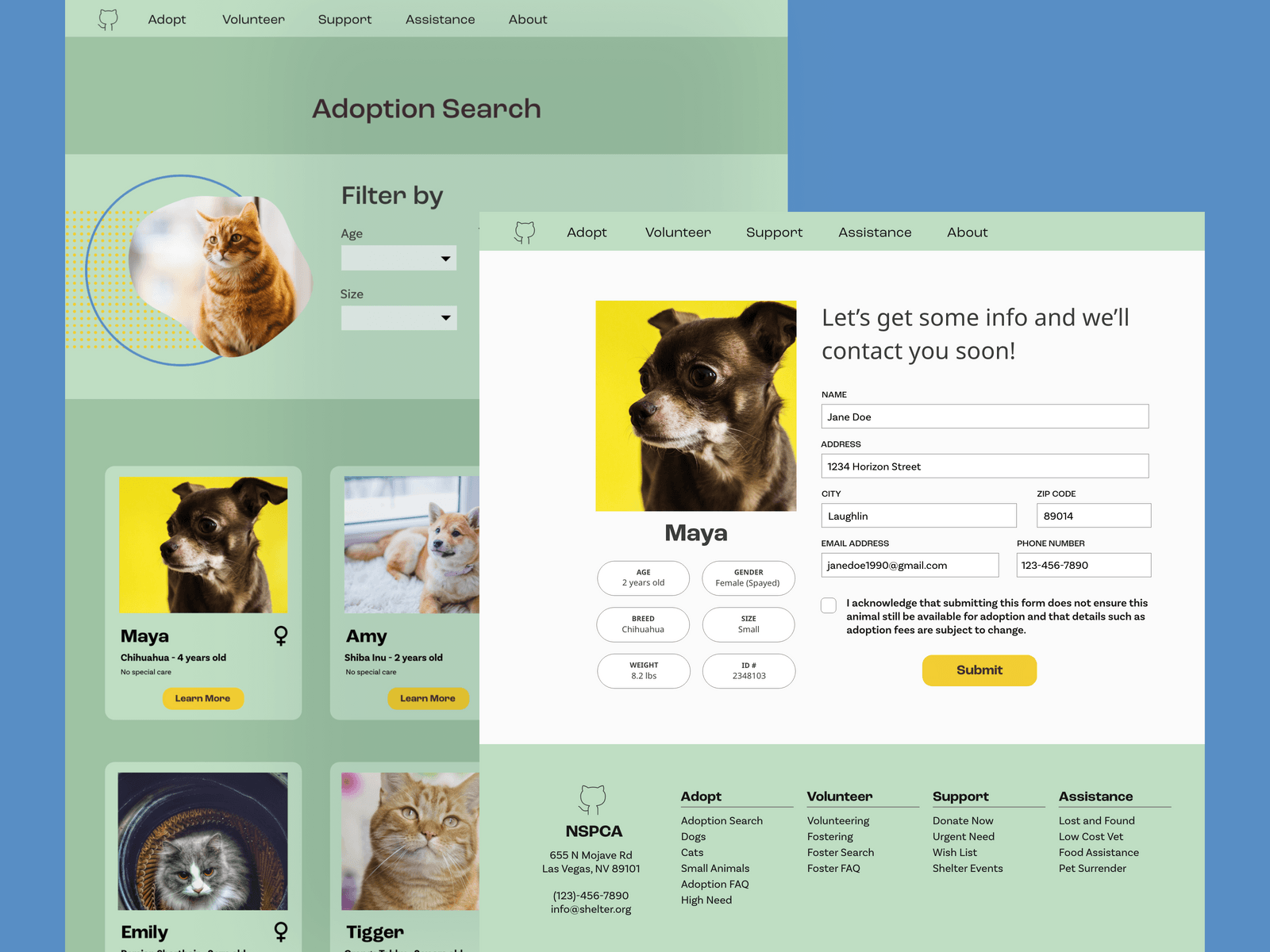
Helping pets find their forever home.
In Southern Nevada last year, over 1,000 pets were adopted out to various homes. More often than ever, pets have to unfortunately be given to local shelters and then rehomed.
For this project, I decided to do something different. Rather than conjuring up imaginary users, I decided to think locally and look at the website for the Nevada Society for the Prevention of Cruelty to Animals (NSPCA).
Their website was older and needed some updating—and specifically, the user adoption search page was, at the time, completely broken.
Responsibilities: User research, interviews, competitive audits, paper and digital wireframes, low and high-fidelity wireframing, usability studies, accessibility, design iteration.
Tools: Adobe XD, Figma
Timeframe: Mar ‘22 - May ‘22
The Challenge
Many local pet shelter websites cannot compete with more modern interfaces, UX and UI, and web design in general. The goal is to update a local shelter website to be easier to navigate with filtering options, a more cohesive design, and a friendlier interface. By streamlining the process and making it more user friendly, adoptionsi would be quicker and easier for both the NSPCA and those looking to adopt pets.Objectives & Research
User Surveys
I recruited a series of people interested in pets — several current pet owners and several who had not owned pets before. I kept the age ranges and gender identities wide, including a mix of people from 20 to 60. Interviews lasted about thirty minutes as I asked them about the process of adopting a pet.I made sure to reinforce that, for most shelters, you might place interest online, but most places would still require you to attend in person.From my interviews I discovered two main pain points.
- Find pets with the right qualities: Most users might generally want a certain kind of pet — a type, a size, maybe a particular age range. This lends itself towards filters as well as a way to show similar pets rather than forcing people to return
- Seeing pets similar to a chosen option: Once a user had found a pet they liked, they often wanted to see other similar pets to be able to compare rather than searching again or just scrolling through an often overwhelming amount of results.
Most of these indicated confusion while trying to understand and categorize information, not issues with finding information in and of itself, as well as what to do afterwards.
Persona Creation
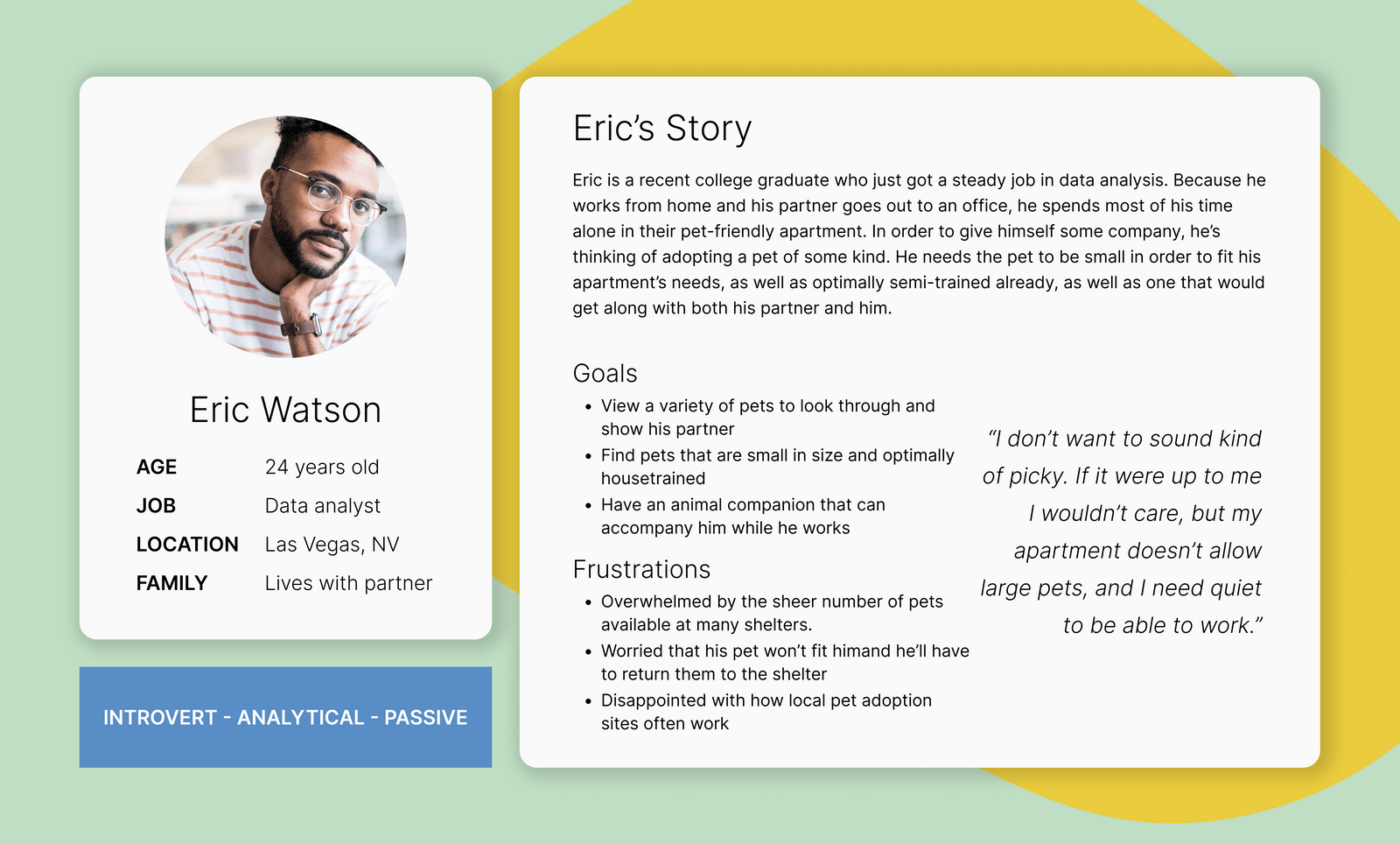
In order to focus on what users wanted, I decided to create a user persona for this site. In the pursuit of modernizing a website, I decided I wanted to focus on a younger audience. There are many reasons to adopt a pet, but it’s often for the sake of companionship. Moreover, I knew that many would-be adoptees had particular problems that they needed solved, such as apartment regulations or particular health needs.
Site Map
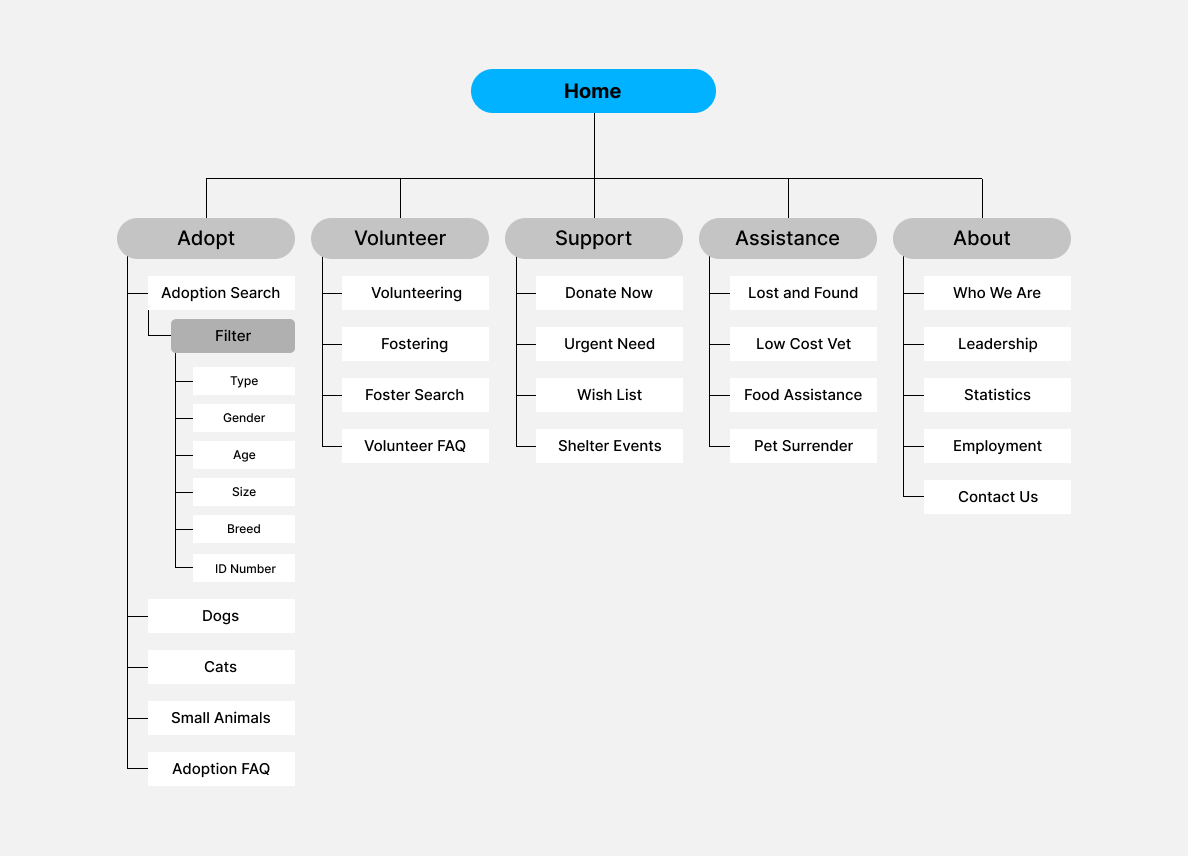
To create a site map, I looked through several other adoption websites to see the most important shared pages. In general, information was in a few broad categories: adoptions, volunteer opportunities, donations and other support, community assistance, and more about the organization.
Design & Refinement
Paper Wireframes
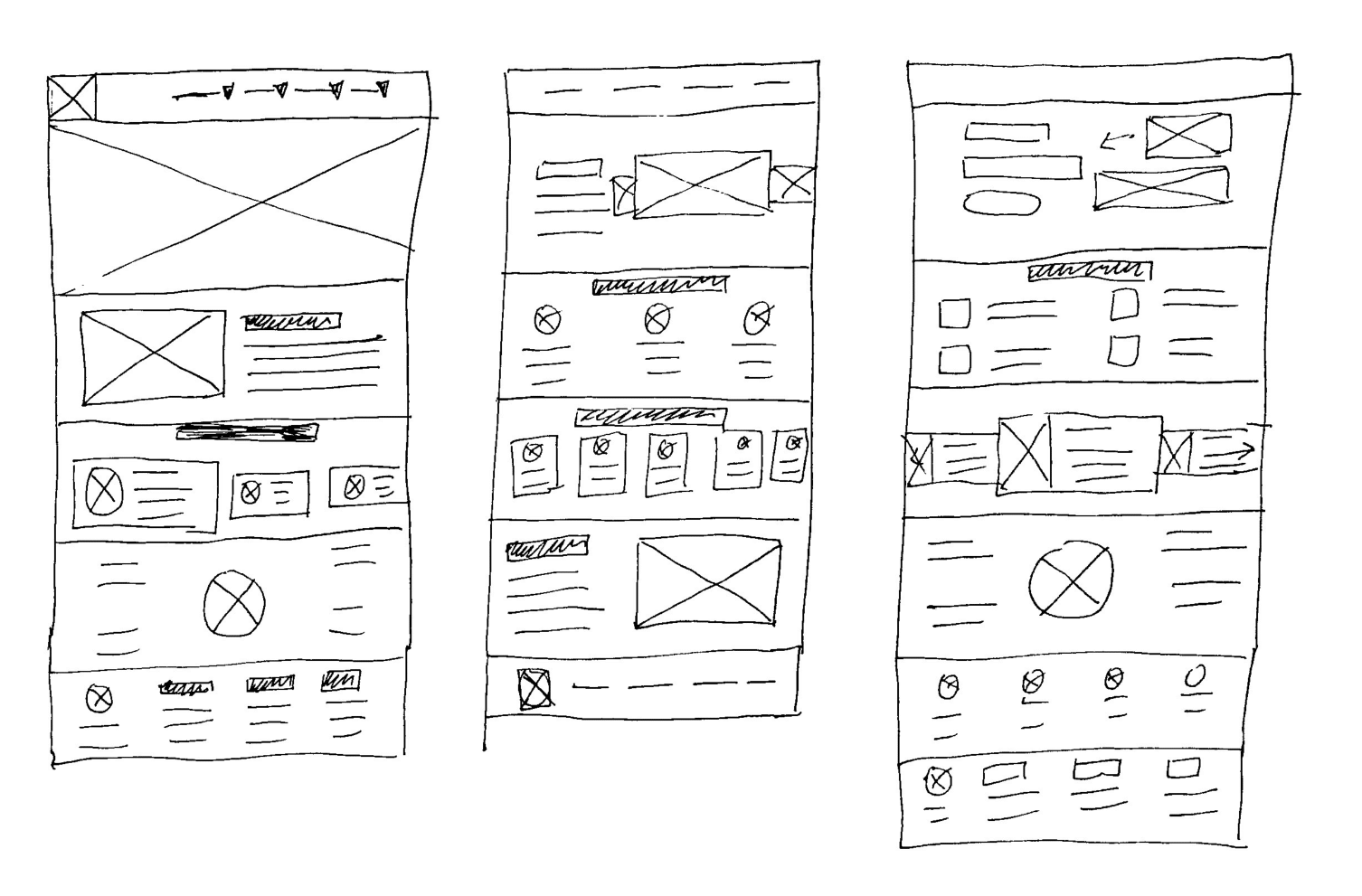
To me, the home page needed to be significantly different from what it was. In my head, I had a few different sections: a header, an about section of some kind, a featured pets section, and an calendar with upcoming events (as adoption events are fairly popular). I also knew that a topbar and a footer would be standard options to organize the website, which gave me two other options to design around.
Digital Wireframes
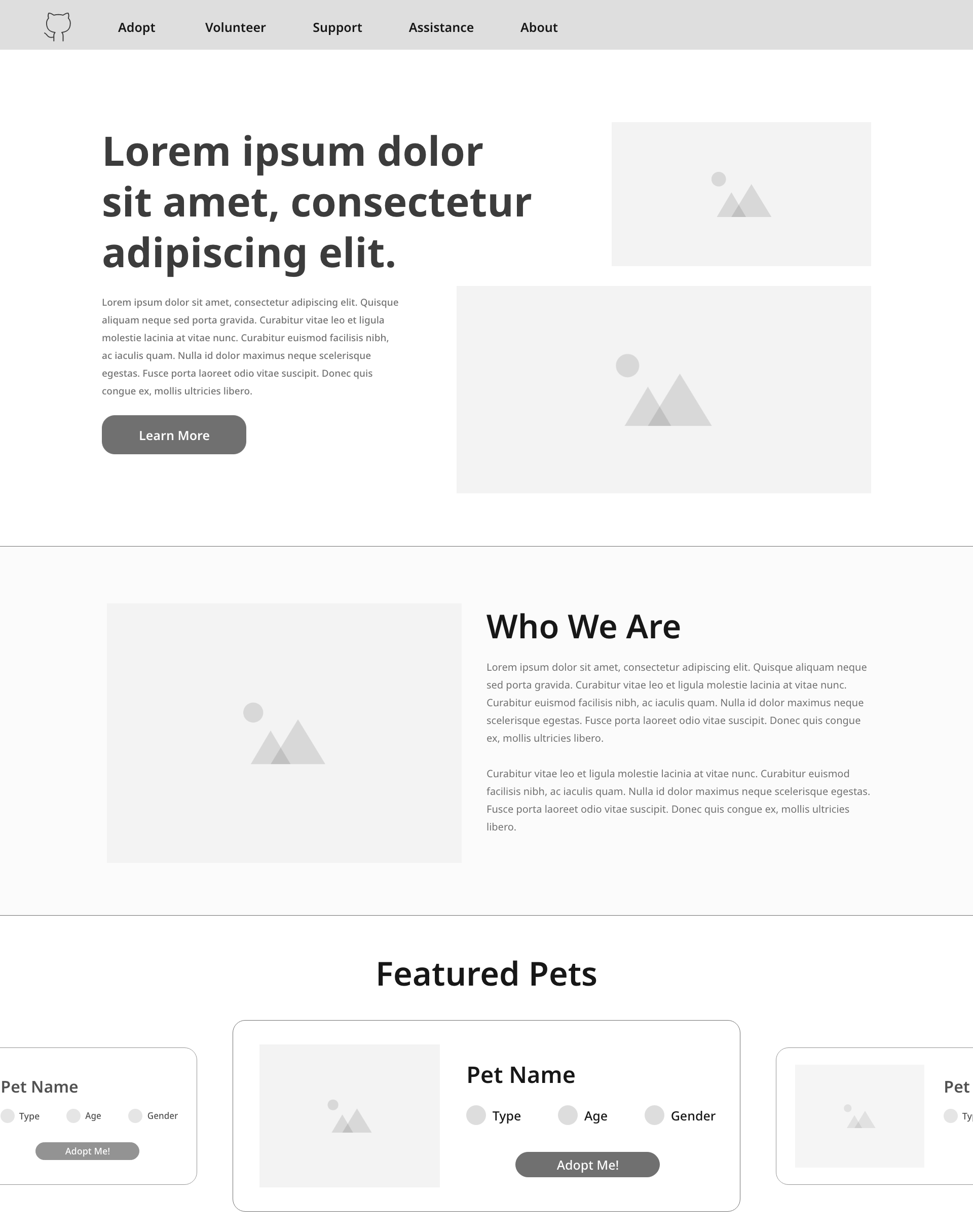
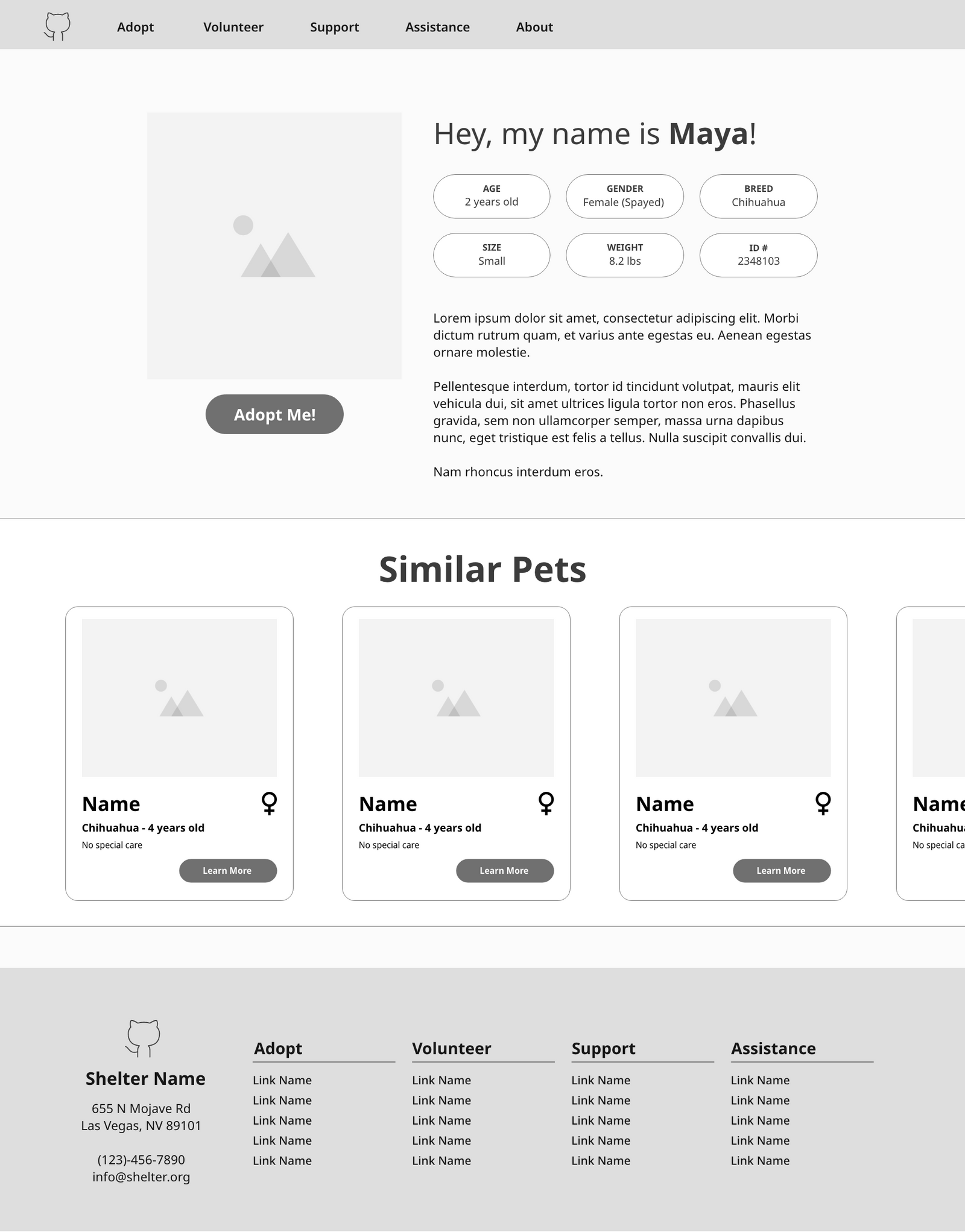
Designing digital wireframes for this site helped solidify several design choices. The consistency of buttons would be important to make the site feel cohesive. I also realized that this was going to involve several different kinds and shapes of cards on the search page, the home page, and the similar pets section I had decided to add earlier.
The footer took the most time to design. It’s difficult to organize a footer that doesn’t feel overwhelming but that does feel like it has all the needed information. I wanted to emphasize the shelter’s address and phone number as the most relevant forms of contact.
Lo-Fi Prototype
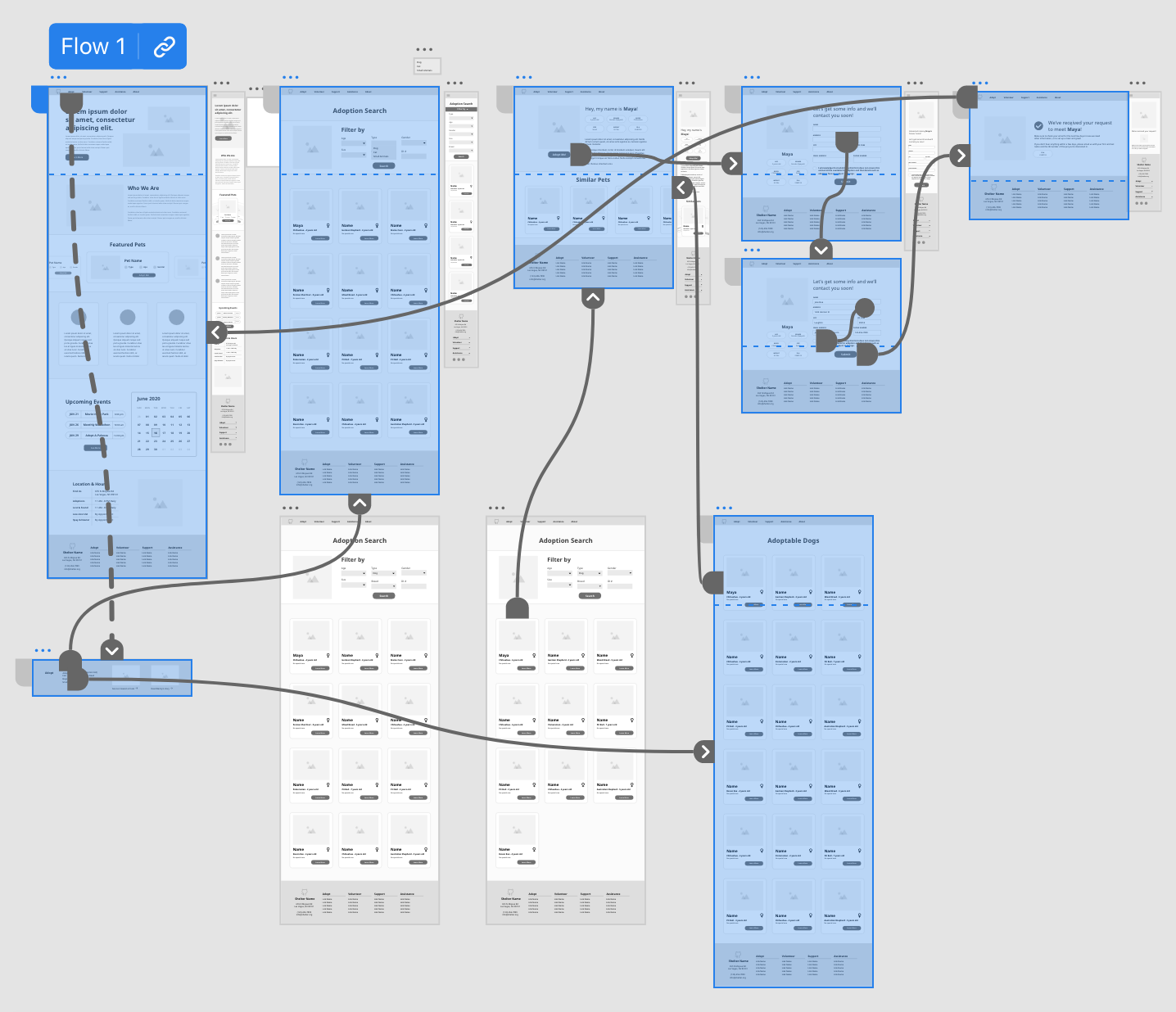
From here, I moved into early low-fidelity prototype stages. Thankfully, this website for an adoption flow did not need to be that complicated. I decided to keep it down to a search with filtering options, pets’ pages, and a simple form. Most shelters would ask prospective forever homes to meet the pet before simply adopting them out. I decided it was most important to let the shelter be able to contact the home, so the form would require basic contact details and a confirmation that those details were received.
Usability Tests
I conducted four usability tests with multiple individuals. These were moderated remote usability studies for convenience’s sake. They attempted to find their way to a pet's search page and then complete the adoption flow.
- Confusing confirmation page. Users mentioned that the confirmation page felt confusing in comparison to prior pages, as if the design had switched. This was changed to be more cohesive.
- Multiple ways to reach the search page. Most users who, on instinct, scrolled past the topbar and into the rest of the home page disliked having to scroll back up in order to find the relevant page.
Hi-Fi Prototype
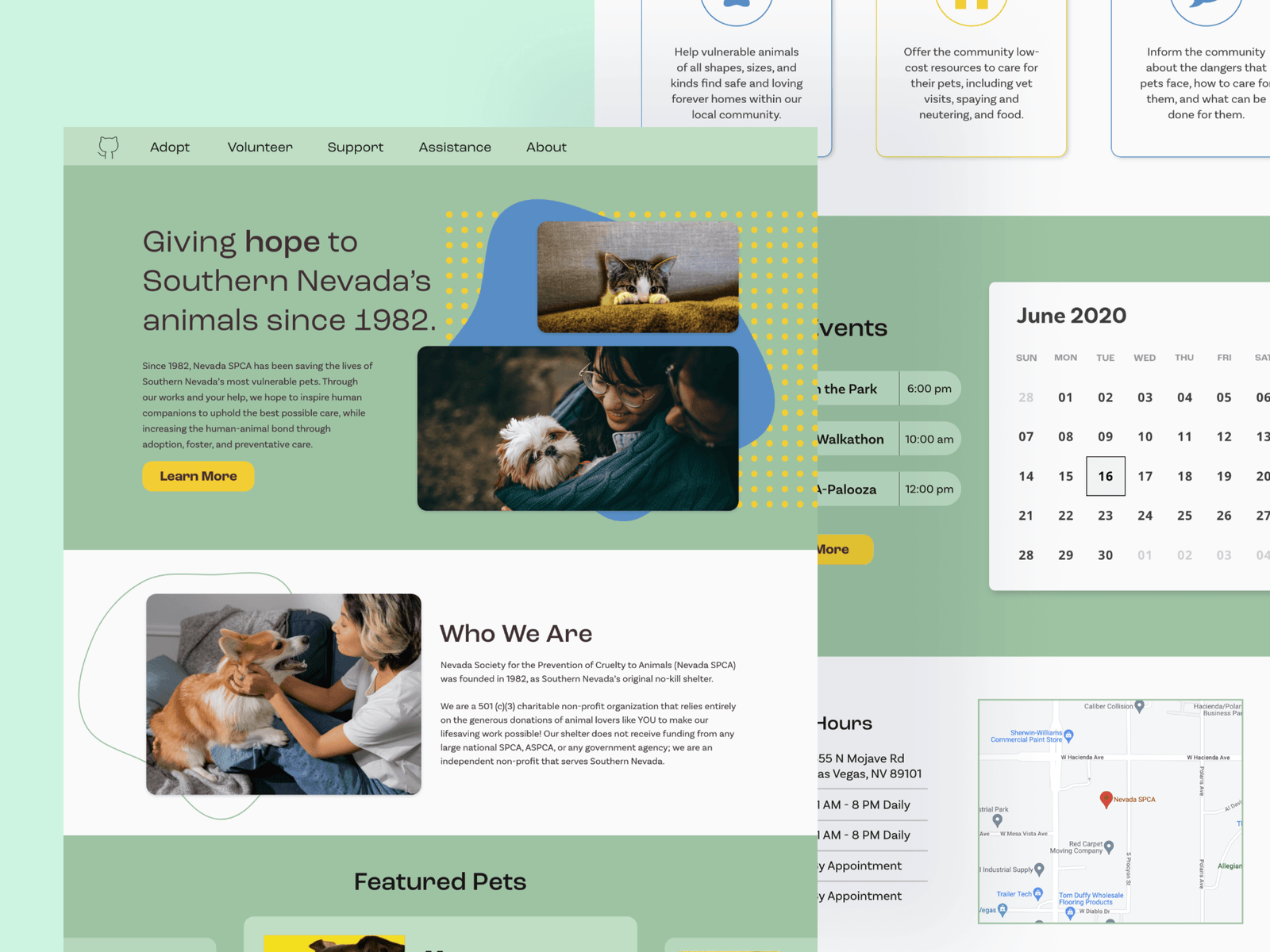
The most important part of the high-fidelity prototype here for me was the emphasis on images and colors. I wanted the colors to be friendly and fun, and I decided to use two shades of green as the most obvious colors. This also matched up with the NSPCA’s current general color scheme involving green.
Finding the number of animal images needed for the prototype was, of course, a pleasure, but I also realized how much negative space was helpful in making the site feel less overwhelming.
Results & Reflections
Working with Adobe XD is always a very different experience in comparison to Figma. Once I refreshed myself on the learning curve, I found that the most time consuming part of making the website was actually finding the right accent colors to fit the tone. Initially, I had several different color palettes in mind, and deciding which one actually fit the feel of the site properly took time.
In the future, I’d like to complete more usability tests. I would possibly add an optional section to submitting your details, where you can streamline the process at the shelter itself by giving them more information ahead of time. This may be more dependent on the shelter, however.
I believe this still strongly modernizes the feeling of a pet shelter website and offers helpful features to make sure pets find their forever homes.